Burp Suite is one of the most powerful tools for web security testing. It provides a rich set of features that security professionals use to identify and exploit vulnerabilities in web applications. Among these features, the Repeater tab is one of the most crucial and versatile tools.
In this blog, we’ll dive deep into what the Repeater Tab in Burp Suite is, how it works, and how to use it effectively for manual web application testing.

Before we explore the Repeater tab specifically, it’s important to understand Burp Suite as a whole.
Burp Suite is a Java-based framework designed to serve as a comprehensive solution for conducting web application penetration testing. It has become the industry standard tool for hands-on security assessments of web and mobile applications, including those that rely on application programming interfaces (APIs).
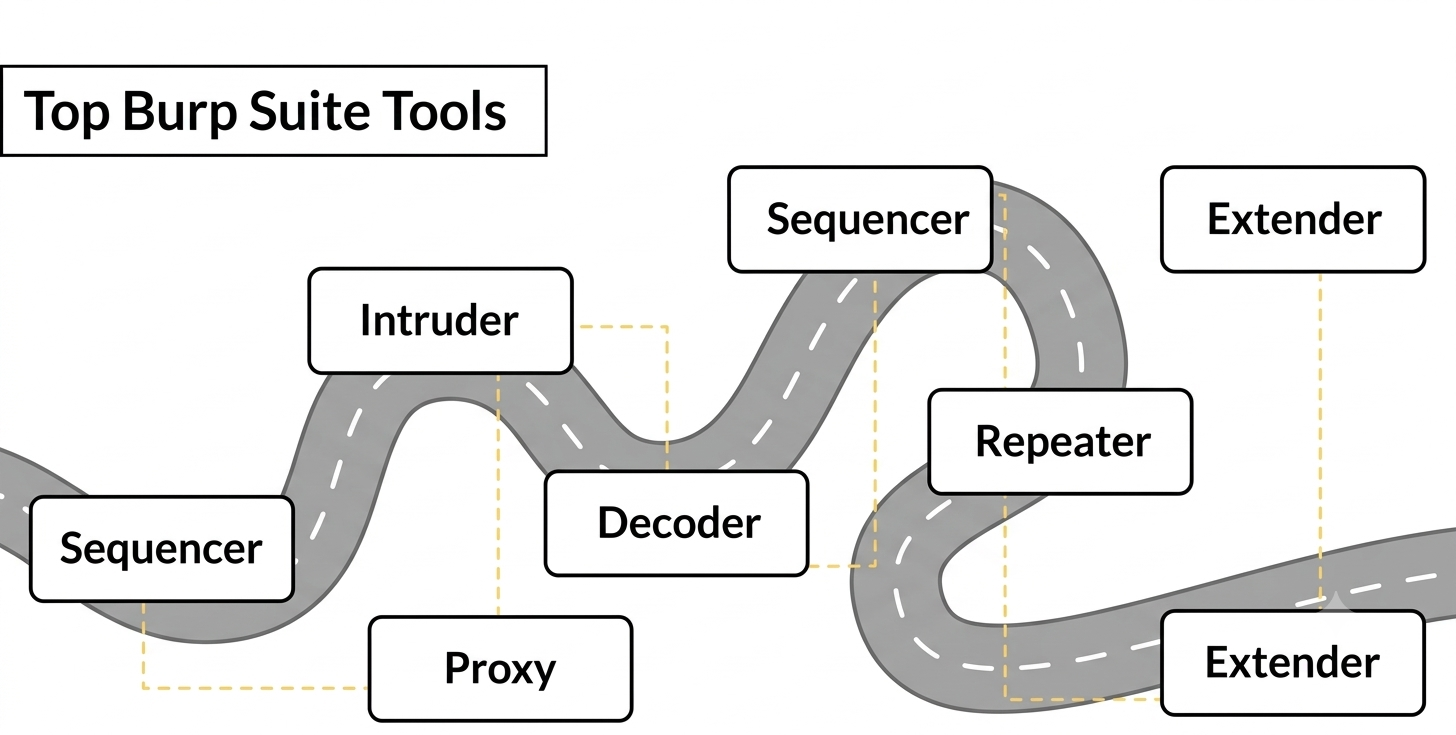
It includes a variety of tools such as:
- Proxy (for intercepting and modifying HTTP requests)
- Scanner (automated scanning for vulnerabilities)
- Intruder (for brute-forcing and fuzzing)
- Decoder (for encoding and decoding data)
- Comparer (for comparing two pieces of data)
- Repeater (for manual request/response manipulation)
- Sequencer (for assess the randomness of session tokens or identifiers)
- Extender (to enhances functionality by adding custom features)
The Repeater Tab allows you to manually modify and re-send HTTP requests. It’s a powerful tool for analyzing, debugging, and modifying requests and responses between the client (browser) and the server.Attackers usually discover command injection vulnerabilities by testing user inputs on web applications. Here’s how they might go about finding a command injection point:
What is the Burp Suite Repeater Tab?
The Repeater Tab is a feature within Burp Suite that lets you manually take an HTTP request and send it to a server repeatedly. The tab allows for direct interaction with the request-response cycle by sending customized requests to the server without having to go through the proxy, or by modifying previously captured traffic. This is particularly useful when you are analyzing a specific part of an application and want to test various conditions, inputs, or scenarios.
Why is Repeater Useful?
- Precise Request Analysis: You can dissect and modify specific parts of the HTTP request.
- Repetition of Requests: If you need to send the same request multiple times with different modifications, Repeater makes this simple.
- Testing Input Validation: It's ideal for testing how a web application handles different inputs, such as injecting SQL, XSS, or other malicious inputs.
- Debugging and Troubleshooting: Helps in identifying issues with web app behavior when sending the same request repeatedly.
The Repeater Tab consists of several components that help streamline the process of manual request manipulation:
1. Request Editor The Request Editor is where the HTTP request is displayed and can be manually modified.
This includes: Method (GET, POST, PUT, etc.) URL (targeting the server) Headers (request headers) Body (data sent along with the request, such as form parameters, JSON, etc.)
You can modify any part of the request and see how it impacts the response from the server.
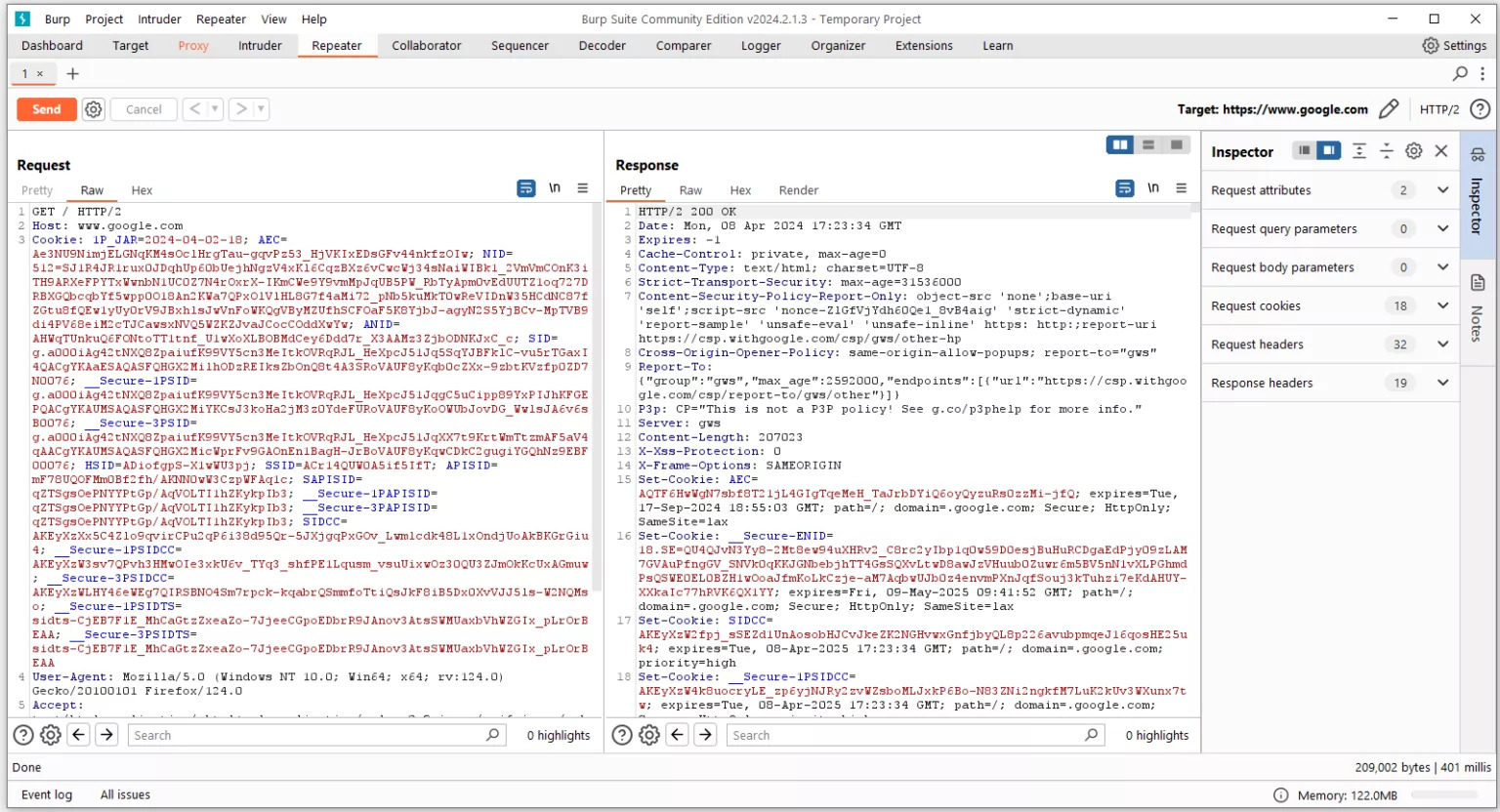
2. Send Button This button allows you to send the modified HTTP request to the target server. The request is then processed and a corresponding HTTP response is displayed in the Response tab.
3. Response Section The Response Section shows the HTTP response returned by the server after your request is sent. This contains important information such as:
- Status Code (e.g., 200 OK, 404 Not Found)
- Response Headers (e.g., Content-Type, Cookies)
- Response Body (the actual content of the response, like HTML, JSON, etc.)
4. Inspector The Inspector in Burp Suite is a feature that allows users to examine, analyze, and manipulate HTTP/S requests and responses, helping identify vulnerabilities and test web application security.
- Request Query Parameters (Data sent via URL; modifiable in GET requests for testing) Request Body Parameters (Data in POST requests; can be modified before resending)
- Request Cookies (Modifiable cookies sent with requests for analysis and manipulation)
- Request Headers (View, modify, add, or remove headers to test server responses)
- Response Headers (Displays unmodifiable headers returned by the server after requests)
5. Request/Response Navigation The navigation buttons allow you to easily switch between different requests and responses that you’ve worked on. You can navigate backward and forward in your session to compare and track your activities.
Now that we know what Burp Suite's Repeater tab offers, let’s walk through how to use it effectively:
Step 1: Capture the Request You typically capture an HTTP request through the Proxy Tab. As you interact with a website in your browser (with Burp Suite Proxy enabled), you can intercept HTTP requests. Right-click on a request that you want to manipulate, and then select “Send to Repeater.”
Step 2: Modify the Request Once the request is in the Repeater tab, it will be displayed in the Request Editor. From here, you can: Modify the HTTP method (e.g., change a GET to a POST request). Alter the URL or parameters (e.g., change the value of a query parameter or a form field). Add or change headers (such as User-Agent, Referer, or X-Forwarded-For headers). Modify the body (if it’s a POST or PUT request) to test different payloads.
Step 3: Send the Request After making your desired modifications, click the Send button to send the request to the server. Burp Suite will display the response from the server in the Response Section.
Step 4: Analyze the Response The Response Section shows the server’s response to your modified request. You can: Look at the status code to see if the request was successful. Analyze the response headers to check for any cookies, cache-control directives, or other important metadata. Inspect the response body to see if the server has returned the expected data, or if there’s an error, such as a server-side vulnerability being triggered.
Step 5: Iterate and Re-test One of the most useful features of Repeater is the ability to send requests repeatedly. You can: Change values like input fields or headers, send the modified request again, and test different conditions. Modify the response in the editor to simulate different server behaviors. Observe how the application behaves with different payloads (such as SQLi, XSS, etc.).
To make the most of the Repeater Tab, here are some best practices:
Test Edge Cases: When modifying requests, test edge cases such as large payloads, unusual characters, and special inputs.
Use for Manual Exploitation: Repeater is excellent for testing potential vulnerabilities that you have manually discovered, such as:
- SQL Injection (by modifying SQL queries in request bodies or headers).
- Cross-Site Scripting (XSS) (by altering input fields).
- Command injection and others.
Combine with Intruder: For more automated testing, consider combining Repeater with Burp’s Intruder Tab to brute-force or fuzz specific inputs.
Analyze Server Behavior: Track the server’s responses to your different modifications to identify potential security weaknesses.
The Repeater Tab in Burp Suite is a powerful tool for manual web application testing. It allows you to intercept, modify, and re-send HTTP requests to the server while analyzing the server’s responses. Whether you’re testing for vulnerabilities or debugging web applications, Repeater is essential for web application security testing.
With its ability to modify any aspect of the HTTP request-response cycle, Burp Suite Repeater gives security professionals and penetration testers complete control over the interaction with web applications. It’s a versatile tool that can be used for a wide variety of testing scenarios, from vulnerability exploitation to troubleshooting.
References:
https://portswigger.net/burp/documentation/
https://tryhackme.com/r/room/burpsuiterepeater

.png)